


Monthly plan
50/30/20, a fixed share to invest, or your own split. Your income divides itself on the 1st.
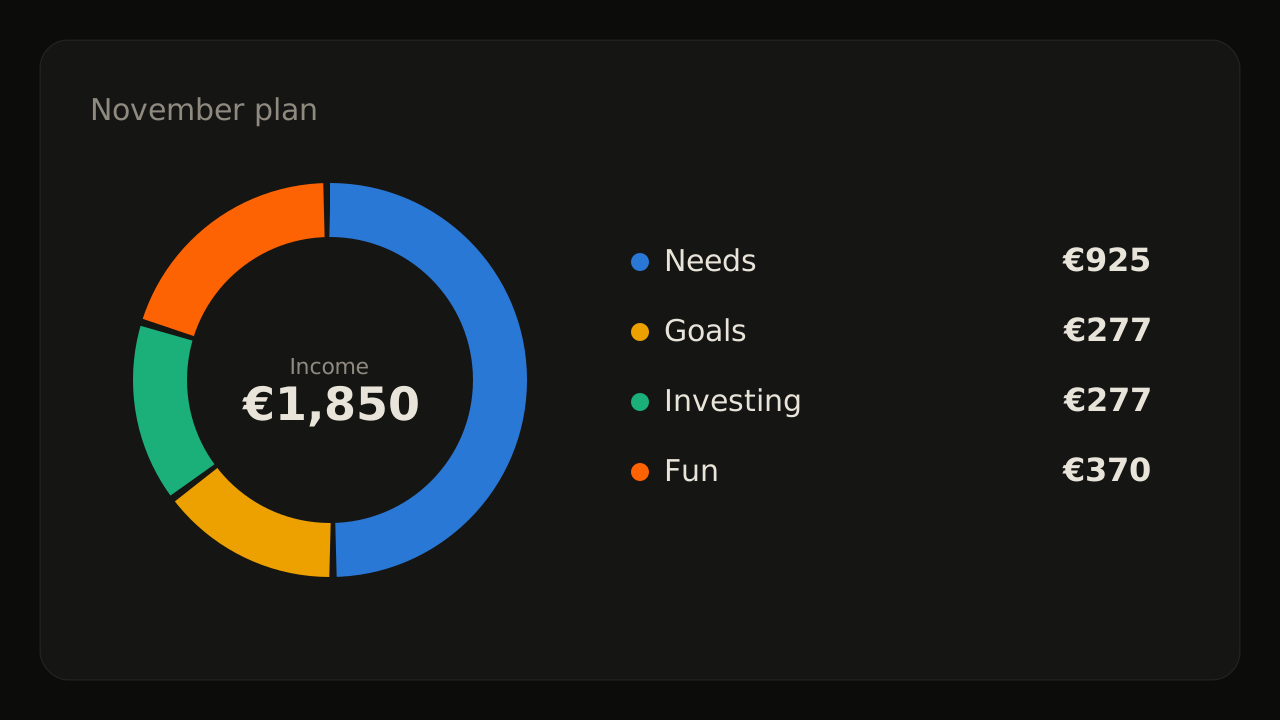
November plan
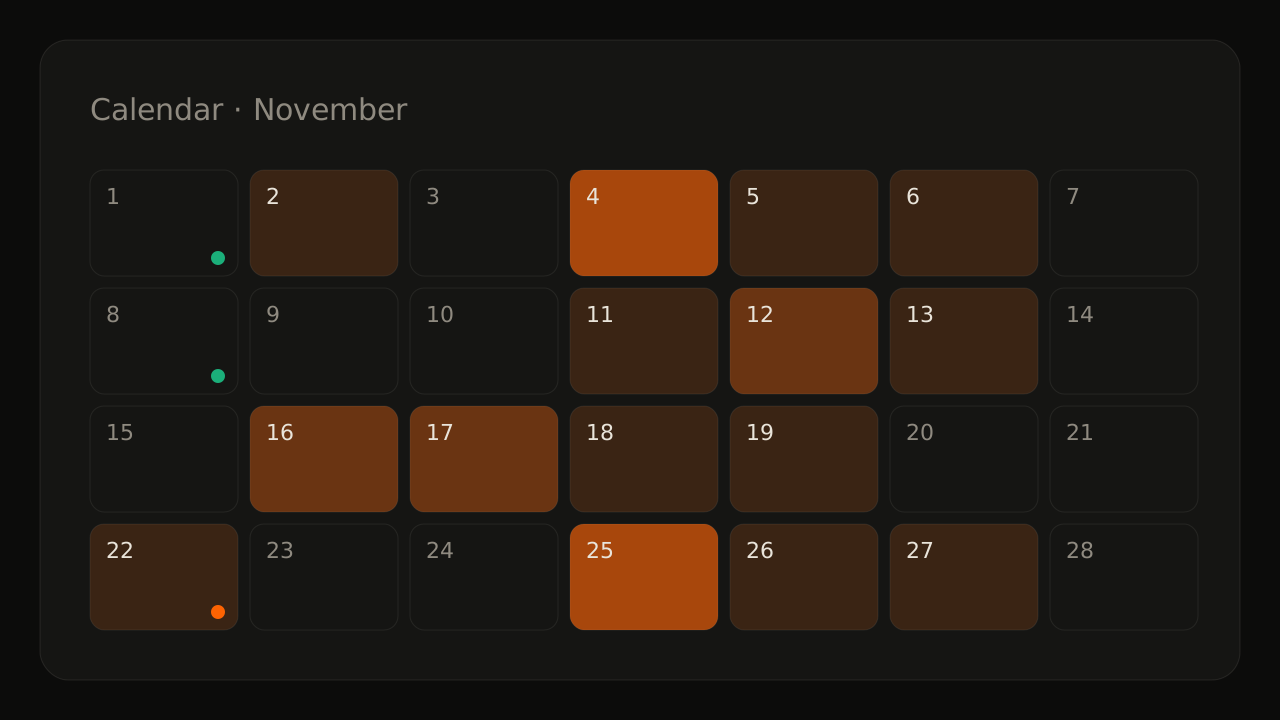
Calendar · November
Next: gym, on the 22nd€30
To invest in November · €277
On the 1st of every month, your income splits itself across bills, goals, investing and lifestyle. You just follow the month.
You import your bank statements. ZYVOR files every transaction in its category, tracks the pace of your month and, on the 1st, splits your income across what matters: your bills, your safety net, your goals, your investments and your lifestyle.
Type what you earn and what your month costs, and choose how to split it. This is how ZYVOR would do it on the 1st. Nothing is saved.
50% for needs, 30% for lifestyle, 20% for saving. The classic rule, nothing to set.
Your emergency fund (six months of bills, €4,500) would be full in 24 months.
Example only, not financial advice. In the app you set your own categories, goals and split.
Make my planThe plan, the calendar, the portfolio, your goals and the monthly review, with example data.
Everything you need to know what to spend, what to save and where to invest. No spreadsheets.
50/30/20, a fixed share to invest, or your own split. Your income divides itself on the 1st.
Emergency fund first, then every goal in your order of priority, with a deadline and progress.
Subscriptions, recurring bills and yearly costs in one place, flagged when one runs high.
Targets by group and by asset, and every month what to buy to get back on target, without selling.
Pick a screen. Each one shows what you'd see in the app, with example data.
What the 1st of the month looks like, from the file your bank gives you to the last transfer.
Export the month from your bank and drop the file in. No bank logins.
Import · October
142 transactions · 138 categorised
Every transaction is already in its category. You see what you planned against what you spent.
Review October
Your income splits across needs, goals, investing and lifestyle. Adjust it if you want.
Confirm November · €1,850
Needs
€925
Goals
€277
Investing
€277
Lifestyle
€370
ZYVOR lists what to move and where. Tick them off as you go.
Transfers · 2 of 3 done
Import · October
142 transactions · 138 categorised
Four steps, a few minutes on the 1st. You start every month with each euro in the right place.
No bank logins
We never ask for access to your bank.
File import
Export the statement from your bank and import the file.
Take it or delete it
Export your data or delete your account whenever you want.
Start free. A Premium plan is coming for those who want more.
€0while ZYVOR is in early access
€3.99a month, or €29 a year
No. You export the statement from your bank's app or website and import the file. ZYVOR never asks for bank logins.
For now, Revolut statements and the Trading 212 history. Other accounts can be kept by hand, and more banks are on the way.
No. You set your own targets by group and asset. ZYVOR only shows how this month's money gets you back to them.
Only you. Every row in the database belongs to your account and nobody else's can read it. The connection is encrypted.
Yes. You can export everything to a file or delete your account, whenever you want.
Nothing while ZYVOR is in early access.